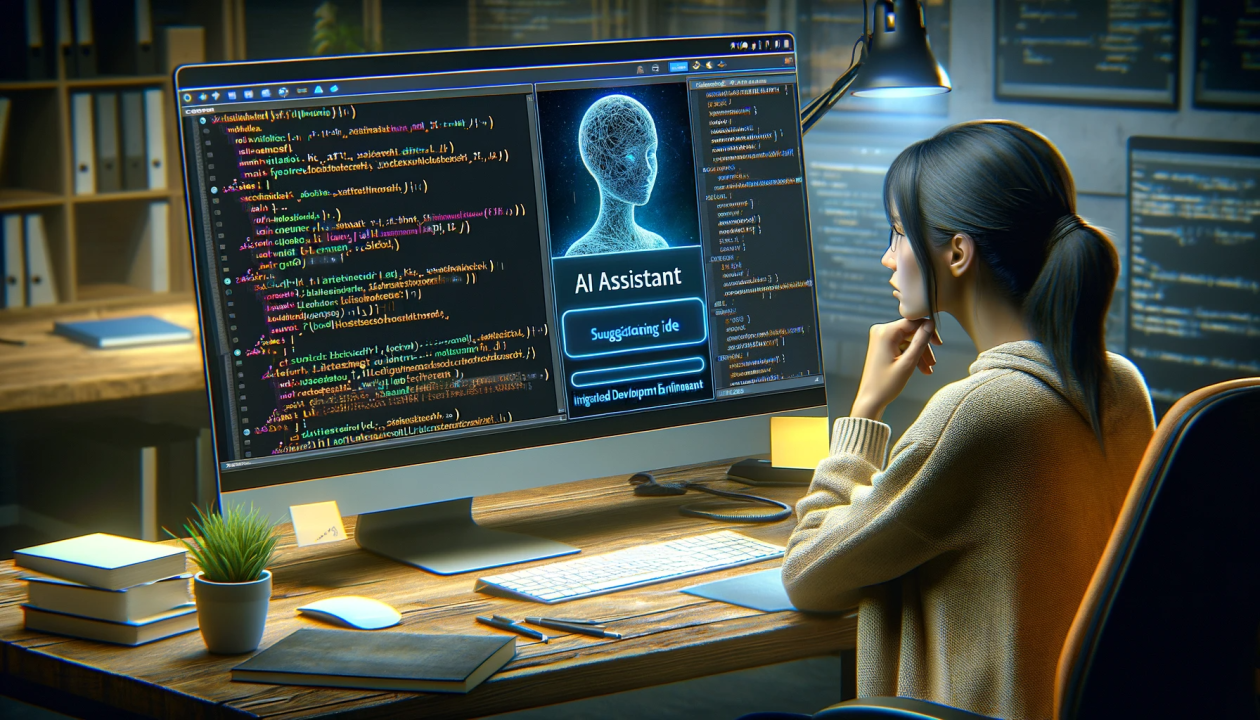
The rapid advancement of artificial intelligence (AI) has revolutionized various industries, and software development is no exception. With increasing demand for efficiency, accuracy, and innovation, AI coding assistants have become essential tools for developers. These intelligent tools help programmers write, debug, and optimize code more effectively, reducing the time spent on manual tasks. In this article, we’ll explore the best AI coding assistants available in 2024 and how they can improve productivity, enhance code quality, and provide real-time solutions for developers of all skill levels.
Table of Contents
What is an AI Coding Assistant?
An AI coding assistant is a tool powered by artificial intelligence designed to assist developers in writing, debugging, and optimizing code. These assistants use machine learning algorithms and natural language processing (NLP) to understand and generate code snippets based on the user’s input. They can predict the next lines of code, offer suggestions, detect errors, and even recommend performance improvements.
AI coding assistants are valuable assets for both beginners and experienced programmers, as they provide context-aware suggestions and automate repetitive tasks, allowing developers to focus on creative problem-solving.
Benefits of Using AI Coding Assistants
AI coding assistants offer numerous benefits, helping developers work faster and more efficiently. Here are some of the key details of the advantages.
Increased Productivity
AI coding assistants greatly enhance productivity by automating routine coding tasks, such as generating boilerplate code. This automation allows developers to spend less time on repetitive aspects and focus more on complex problem-solving and innovative features. Additionally, these tools can generate code snippets quickly, which reduces the time developers spend searching for and writing code solutions manually. By streamlining these processes, AI coding assistants help accelerate the development cycle and increase overall efficiency.
Real-Time Error Detection
A significant benefit of AI coding assistants is their capability to detect errors in real-time. These tools can identify syntax errors, logical flaws, and potential security vulnerabilities as you code, providing immediate feedback. This early detection allows developers to address issues before they become more complex and costly to fix. By catching errors as they occur, AI assistants help maintain code quality and reduce the risk of bugs in the final product.
Enhanced Code Quality
AI-powered coding tools contribute to improved code quality by analyzing and suggesting best practices for code performance and maintainability. They offer recommendations for making code more readable, optimizing performance, and adhering to industry standards. By following these suggestions, developers can minimize technical debt and ensure their code is robust and scalable. This enhanced quality not only benefits current projects but also facilitates easier future maintenance and upgrades.
Multilingual Support
AI coding assistants often provide support for a wide range of programming languages, making them versatile for developers working with various technologies. Whether coding in Python, JavaScript, C++, or Java, these tools can offer contextually relevant suggestions and corrections. This multilingual support allows developers to switch between languages seamlessly and ensures consistent coding practices across different projects. The ability to handle multiple languages enhances the tool’s utility and adaptability in diverse development environments.
Learning and Skill Improvement
For both beginners and experienced developers learning new languages, AI coding assistants act as valuable mentors. They offer context-aware recommendations, explanations for errors, and alternative coding solutions, which help users understand best practices and improve their skills. By providing immediate feedback and guidance, these tools facilitate continuous learning and development. Over time, developers can enhance their coding proficiency and become more adept at tackling various programming challenges.
How to Choose the Best AI Coding Assistant?
Selecting the best AI coding assistant hinges on understanding your specific needs, workflow, and programming languages. With numerous options available, it’s essential to focus on features that align with your development practices and requirements. Here are a few key factors to consider.
IDE Compatibility
Ensure the AI assistant integrates seamlessly with your preferred integrated development environment (IDE). Most AI tools support popular IDEs like Visual Studio Code, PyCharm, and IntelliJ, but some may offer superior performance or additional features for particular platforms. This compatibility ensures a smoother and more efficient coding experience.
Programming Language Support
Different AI assistants have varying levels of support for programming languages. If you work across multiple languages, opt for tools like GitHub Copilot or Tabnine that offer extensive language coverage. This broad compatibility helps maintain productivity without the need for multiple specialized tools.
Data Privacy and Security
For teams and enterprises, safeguarding data privacy is crucial. Choose AI assistants that provide local deployment options or do not transmit your code to external servers, such as Tabnine or Kite. This approach helps protect sensitive information and adhere to privacy regulations.
Team Collaboration Features
In a team environment, collaboration tools can significantly enhance workflow efficiency. AI assistants that support features like shared coding environments or collaborative code reviews, such as IntelliCode or Replit Ghostwriter, can help streamline development processes and maintain consistent coding standards across the team.
AI Coding Tools for Beginners
AI coding tools for non-programmers offer an accessible entry point into the world of coding without needing extensive technical expertise. Tools like GitHub Copilot and Kite help users by providing easy-to-understand suggestions and generating code from natural language inputs, making it simpler for beginners to create functional programs.
These AI assistants act like helpful guides, offering real-time feedback and explanations to ensure that users can learn as they go. By automating many of the repetitive tasks and providing context-aware suggestions, these tools allow non-programmers to experiment with coding and develop software without feeling overwhelmed, making programming more approachable for everyone.
FAQs
Are AI coding assistants suitable for beginners?
Yes, AI coding assistants are incredibly helpful for beginners. They provide suggestions, highlight errors, and offer real-time feedback, making it easier to learn programming languages.
Can AI coding assistants replace human developers?
AI coding assistants are not designed to replace developers but to assist them. They automate repetitive tasks and help improve code quality, but they cannot match the creativity, problem-solving, and decision-making skills of human developers.
Do AI coding assistants support all programming languages?
Most AI coding assistants support a wide range of programming languages, but not all tools are compatible with every language. Check the compatibility of the tool with the languages you work with.
Is there any risk in using AI assistants for coding in terms of security?
Data privacy is a valid concern when using AI tools, especially those that send your code to external servers for processing. Some tools, like Tabnine and Kite, offer offline support or local model deployments to address this issue.
How much do AI coding assistants cost?
Some AI coding assistants are free or offer free versions with limited features, while others have premium plans for additional functionalities. Tools like GitHub Copilot offer paid subscriptions, while others like Kite provide free access with the option for paid upgrades.

Conclusion
AI coding assistants are transforming the way developers write and optimize code. By automating repetitive tasks, providing intelligent code suggestions, and improving error detection, these AI coding tools can significantly boost productivity.
Whether you’re a beginner looking to learn a new language or an experienced developer aiming to streamline your workflow, the right AI coding assistant can make a world of difference. In 2025, tools like GitHub Copilot, Tabnine, and Kite stand out for their versatility, accuracy, and ease of use, helping developers focus on creativity and innovation.